




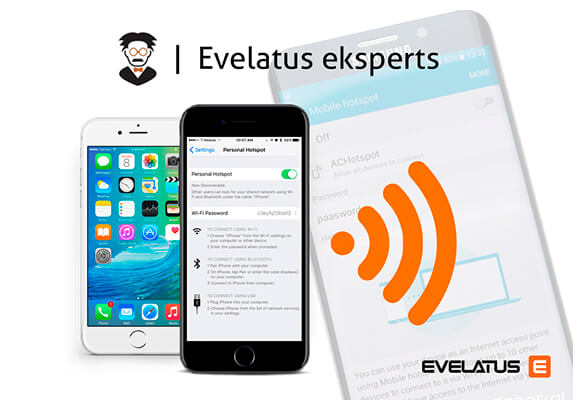
If you have access to unlimited internet on your phone, this feature we’re about to tell you about is for you! Did you know that your smartphone or tablet can also act as a wireless router? This feature is found on most Android and iOS devices and is simple to use.
To use this feature on iOS devices, you need to register your operator’s access point from the start:
1
. Open the system settings, the “Mobile networks ” menu and go to “Data parameters”, then “Mobile data network”.
The tab contains four blocks of fields to be filled in: “Mobile data”, “LTE setup (optional)”, “MMS” and “Mobile hotspot mode “.
2
. Select the “Mobile hotspot mode” menu and enter the following data in the APN field (the “User name” and “Password” fields remain empty):
–
Bites operator www.
–
Operator Amigo.lv
or other …
3
. Press “Back” to make sure that the device has saved the required settings.
To enable modem mode, go to “Mobile networks”>”Mobile hotspot mode” and move the slider to the active state. The only additional setting is the selection of the access password.
You definitely need a password, but you don’t need to invent something complicated – almost no one will have the time or inclination to crack your password.
For Android, this feature works much more simply. Go to “Settings” -> “Tethering & Mobile hotspot”, and turn on the mobile hotspot feature.
Your phone will automatically create both a username and password for you, which you can change at any time.
With a 3G mobile network on your mobile phone, you can connect up to 5 mobile devices to the internet, and up to 10 4G LTE-enabled devices. This feature can be used even if the internet on your phone is limited, but be aware that using it on multiple devices may result in data overage charges. Check if your device has this feature and tell your friends!