





 Return of goods within 14 days
 31 stores
 ALL OVER LATVIA
 High
High rating
 Official
 warranty
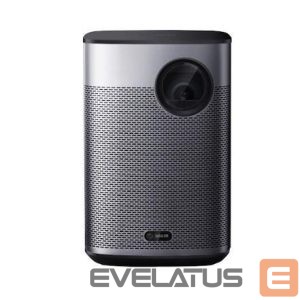
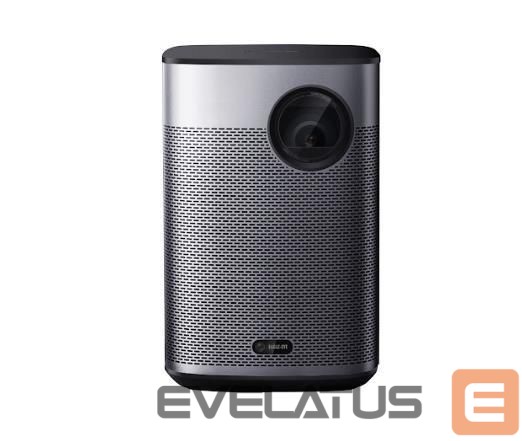
Projector XGIMI Halo+ GTV
Out of stock
Preču atgriešana14 dienu laikā
31 stores ALL OVER LATVIA
High rating
Official warranty


Basic information
EAN: 6935670504555
The XGIMI WM03A001 (Halo+ New) is a portable DLP data projector with native 1080p (1920×1080) resolution and a 16:9 aspect ratio. It runs Google TV with access to the Google Play Store and licensed Netflix, and includes an LED light source designed for long life. The compact unit integrates a 59–59.454Wh built-in battery, dual Harman Kardon speakers, auto focus and intelligent screen adaption features to simplify setup and deliver bright, clear images both indoors and outdoors.
Advantages
The projector provides 1080p FHD image quality with LED-powered, hyper-focused illumination (700 ISO lumens) in a lightweight 1.6 kg body, plus a 25,000-hour LED lifespan. Integrated Google TV and the Play Store enable access to 5,000+ apps including Netflix, YouTube and Prime Video. Auto Keystone Correction, Auto Focus, Intelligent Screen Alignment and Obstacle Avoidance automate setup. The built-in dual 5W Harman Kardon speakers deliver clear, distortion-free sound with good bass, and the internal 16 GB storage and Wi‑Fi support enable streaming and local media playback.
Suitable for
Home cinema in living rooms or backyards
Portable presentations and business meetings
Outdoor activities and camping where battery operation is needed
Streaming apps and multimedia playback via Google TV
Key specifications
Native resolution: 1080p (1920×1080)
Aspect ratio: 16:9
Projection technology: DLP
Light source: LED, lifespan up to 25,000 hours
Brightness: LED hyper-focused ~700 ISO lumens (manufacturer specification)
Speakers: 2 x 5W Harman Kardon
Battery: built-in 59–59.454Wh, up to ~2.5 hours playback
Memory / Storage: 2 GB RAM, 16 GB internal storage
Connectivity: Wi‑Fi (including 802.11ac), Google TV, Google Play Store
Weight: 1.6 kg
Throw ratio: 1.2:1
How to use
Place the projector on a stable surface at the recommended distance for your desired screen size and power it on. Google TV boots quickly; follow on-screen prompts to connect to Wi‑Fi and sign in to your Google account to access apps. The device will attempt Auto Focus and Auto Keystone Correction; adjust physical position if necessary. Use the projector menu or the Google TV interface to select input sources, streaming apps or local files from internal storage or network shares. For battery-powered use, ensure the unit is charged and monitor remaining playtime in the settings.
XGIMI